Step 5: Human in the Loop
Now that we have the ability to chat with our agent, we can move on to implementing human-in-the-loop. This is where the user can review the agent's output and provide feedback. We'll be implementing this in our application by allowing the user to review and approve an outline prior to the research being conducted.
Understanding Human-in-the-Loop
In LangGraph, the current suggested way to implement human-in-the-loop is to use the interrupt method. Calling this function will pause the node at the call site and rerun the node with the user's decision. You can learn more about interrupt here.
All together, this process will look like this:
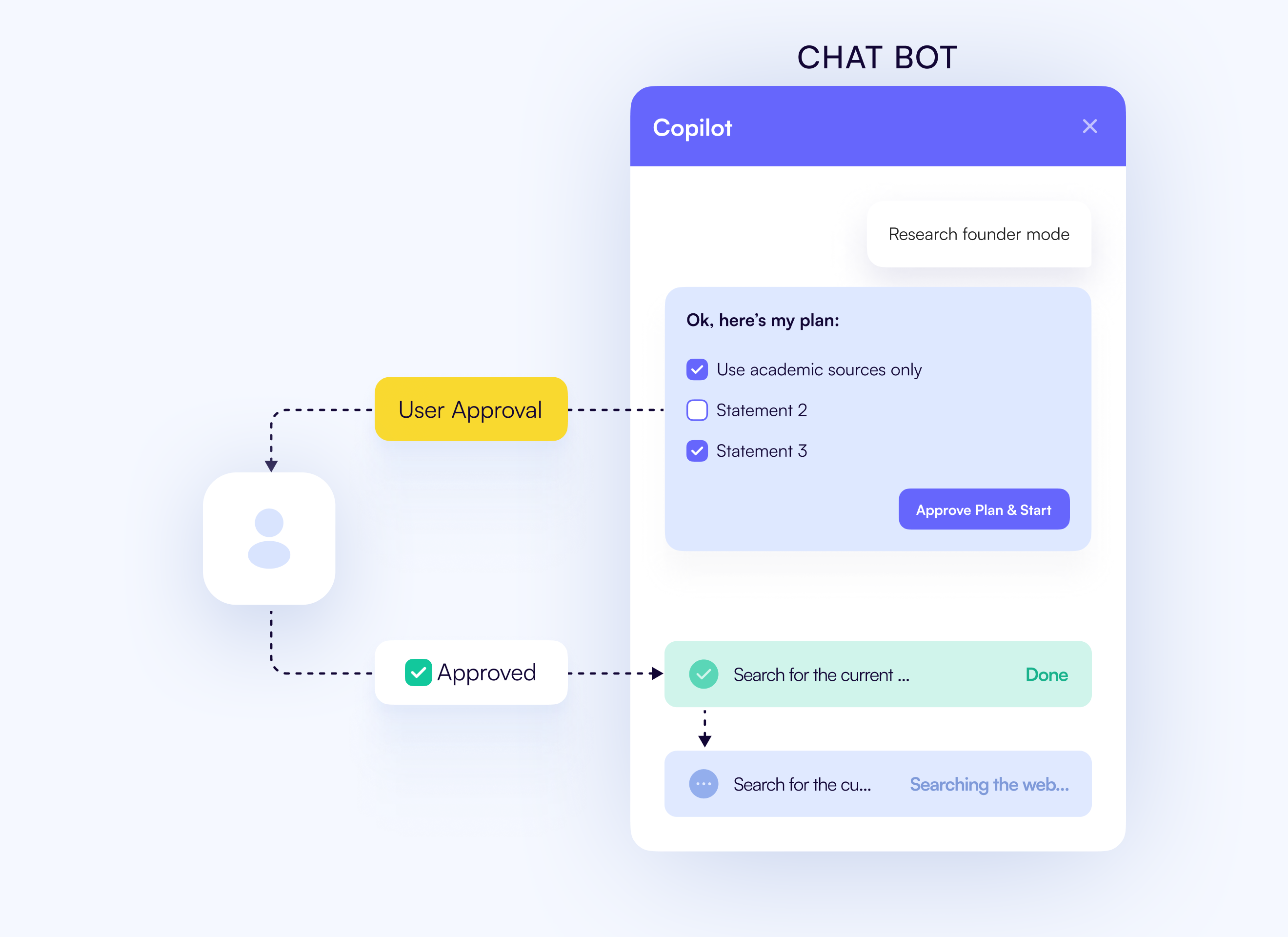
The implementation of all of this is actually quite simple, but understanding how it all fits together is key.
Add useLangGraphInterrupt to the frontend
If you recall from when we started the agent, the interrupt will stop the node when its time to review a proposed research outline.
CopilotKit allows us to render a UI to get the user's decision for this interrupt and respond accordingly via the useLangGraphInterrupt hook.
In our page.tsx file, add the following code.
// ...
import { useLangGraphInterrupt } from "@copilotkit/react-core";
// ...

export default function HomePage() {
    // ...
    const { state: researchState, setResearchState } = useResearch()

    const streamingSection = useStreamingContent(researchState);

    useLangGraphInterrupt<Proposal>({
      render: ({ resolve, event }) => {
        return <ProposalViewer
          proposal={event.value}
          onSubmit={(approved, proposal) => resolve(
            JSON.stringify({
              ...proposal,
              approved,
            })
          )}
        />
      }
    })
    // ...
}
Now, when the LangGraph is interrupted the ProposalViewer component will be rendered to the user with the event.value as the proposal. On submit, the hook's resolve function
will be called with the user's decision.
Checkout the ProposalViewer component code in the frontend/src/components/ProposalViewer.tsx file for more details about rendering.
It's just a standard React component with some styling, a form, and a submit button.
Recap
It is really as simple as that! Now, we've implemented human-in-the-loop for our agent. To recap, we did the following:
- Learned about human-in-the-loop in LangGraph.
- Added the
useLangGraphInterrupthook to our application. - Rendered a
ProposalViewercomponent to the user in the chat
Try asking the agent to research something, like Dogs. Eventually you'll see it ask you for feedback about the proposal.
Please research dogs!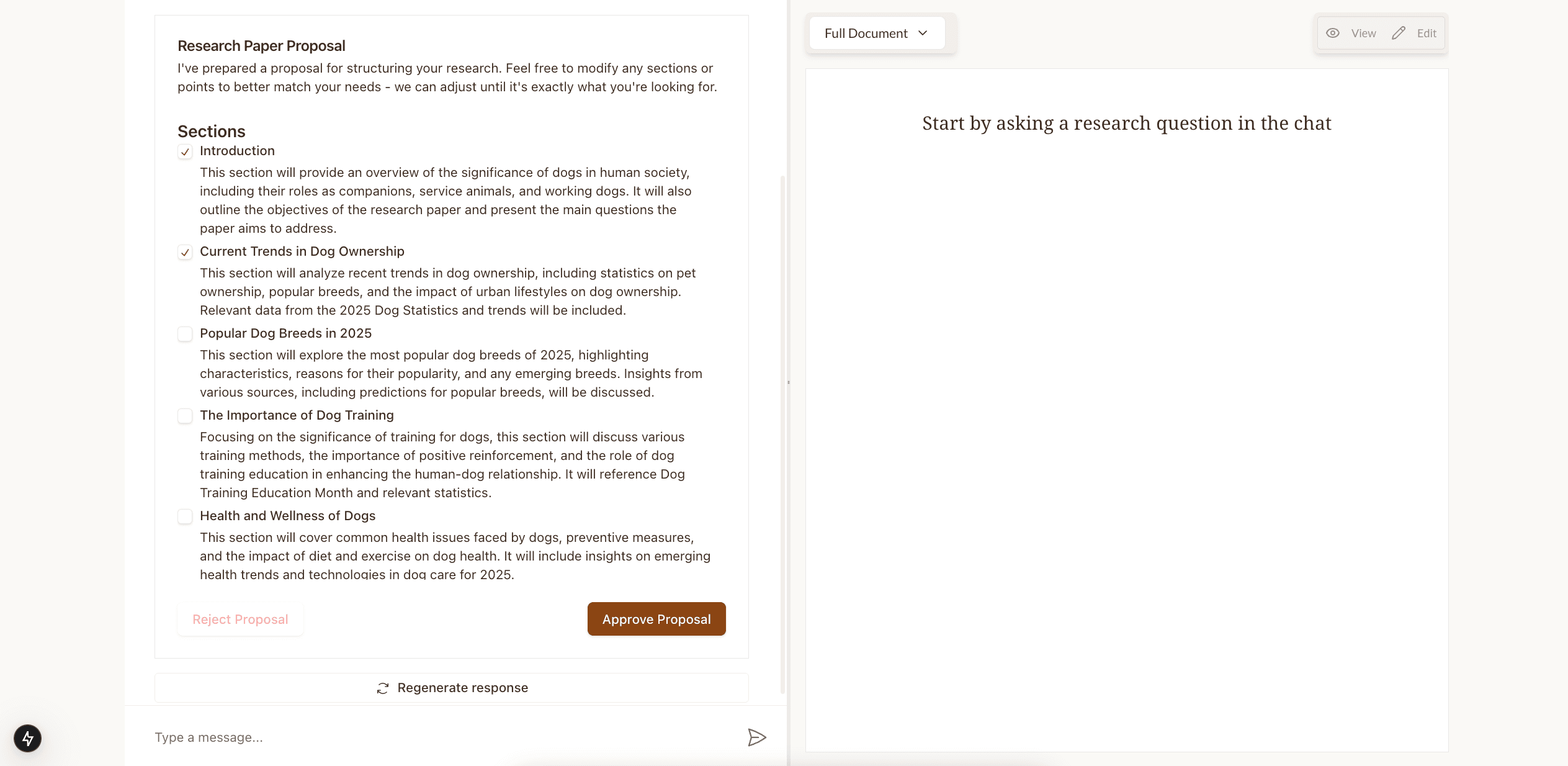
Now, we can completely run our agent from start to finish to conduct research. However, you may notice that the research does not populate in the right window as it completes. In the next step, we'll leverage the CoAgent concept of shared state to populate the research in the right window.


