useCopilotAction
The useCopilotAction hook allows your copilot to take action in the app.
Deprecation Notice: useCopilotAction is being deprecated in favor of more specialized hooks:
- Use
useFrontendToolfor frontend tools with handlers - Use
useHumanInTheLoopfor interactive workflows requiring user input - Use
useRenderToolCallfor rendering backend tool calls
While useCopilotAction continues to work for backwards compatibility, we recommend migrating to the new hooks for better type safety and clearer intent.
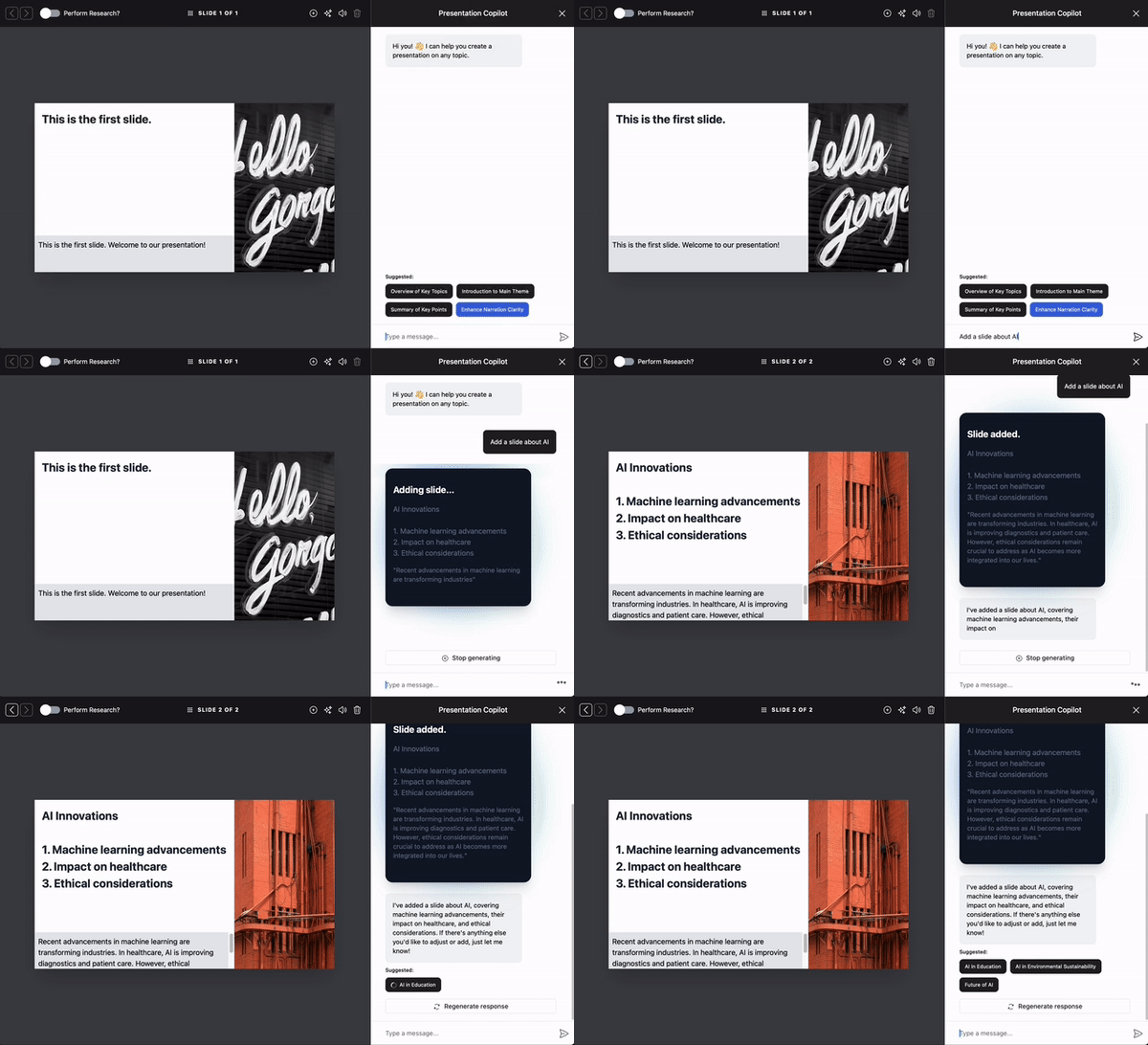
useCopilotAction is a React hook that you can use in your application to provide
custom actions that can be called by the AI. Essentially, it allows the Copilot to
execute these actions contextually during a chat, based on the user’s interactions
and needs.
Here's how it works:
Use useCopilotAction to set up actions that the Copilot can call. To provide
more context to the Copilot, you can provide it with a description (for example to explain
what the action does, under which conditions it can be called, etc.).
Then you define the parameters of the action, which can be simple, e.g. primitives like strings or numbers, or complex, e.g. objects or arrays.
Finally, you provide a handler function that receives the parameters and returns a result.
CopilotKit takes care of automatically inferring the parameter types, so you get type safety
and autocompletion for free.
To render a custom UI for the action, you can provide a render() function. This function
lets you render a custom component or return a string to display.
Usage
Simple Usage
useCopilotAction({
  name: "sayHello",
  description: "Say hello to someone.",
  parameters: [
    {
      name: "name",
      type: "string",
      description: "name of the person to say greet",
    },
  ],
  handler: async ({ name }) => {
    alert(`Hello, ${name}!`);
  },
});
Generative UI
This hooks enables you to dynamically generate UI elements and render them in the copilot chat. For more information, check out the Generative UI page.
Parameters
The function made available to the Copilot. See Action.
The name of the action.
The handler of the action.
A description of the action. This is used to instruct the Copilot on how to use the action.
Use this property to control when the action is available to the Copilot. When set to "remote", the action is
available only for remote agents.
Whether to report the result of a function call to the LLM which will then provide a follow-up response. Pass false to disable
The parameters of the action. See Parameter.
The name of the parameter.
The type of the argument. One of:
"string""number""boolean""object""object[]""string[]""number[]""boolean[]"
A description of the argument. This is used to instruct the Copilot on what this argument is used for.
For string arguments, you can provide an array of possible values.
Whether or not the argument is required. Defaults to true.
If the argument is of a complex type, i.e. object or object[], this field
lets you define the attributes of the object. For example:
{
  name: "addresses",
  description: "The addresses extracted from the text.",
  type: "object[]",
  attributes: [
    {
      name: "street",
      type: "string",
      description: "The street of the address.",
    },
    {
      name: "city",
      type: "string",
      description: "The city of the address.",
    },
    // ...
  ],
}Render lets you define a custom component or string to render instead of the default. You can either pass in a string or a function that takes the following props:
"inProgress": arguments are dynamically streamed to the function, allowing you to adjust your UI in real-time."executing": The action handler is executing."complete": The action handler has completed execution.
The arguments passed to the action in real time. When the status is "inProgress", they are
possibly incomplete.
The result returned by the action. It is only available when the status is "complete".
This is similar to render, but provides a respond function in the props that you must call with the user's response. The component will remain rendered until respond is called. The response will be passed as the result to the action handler.
"inProgress": arguments are dynamically streamed to the function, allowing you to adjust your UI in real-time."executing": The action handler is executing."complete": The action handler has completed execution.
The arguments passed to the action in real time. When the status is "inProgress", they are
possibly incomplete.
A function that must be called with the user's response. The response will be passed as the result to the action handler.
Only available when status is "executing".
The result returned by the action. It is only available when the status is "complete".
An optional array of dependencies.


