Step 6: Human in the Loop
Now its time to add human in the loop to the application. This will allow the user to approve, reject, or modify mutative actions the agent wants to perform. For simplicity, we'll be only implementing approve and reject actions in this step.
Our plan is to add a "breakpoint" to the application. This is a LangGraph concept that will force the agent to pause and wait for the human approval before continuing execution.
You can learn more about breakpoints here.
The breakpoint will then be communicated to our front-end which we'll use to render and take the user's decision. Finally, the user's decision will be communicated back to the agent and execution will continue.
All together, this process will look like this:
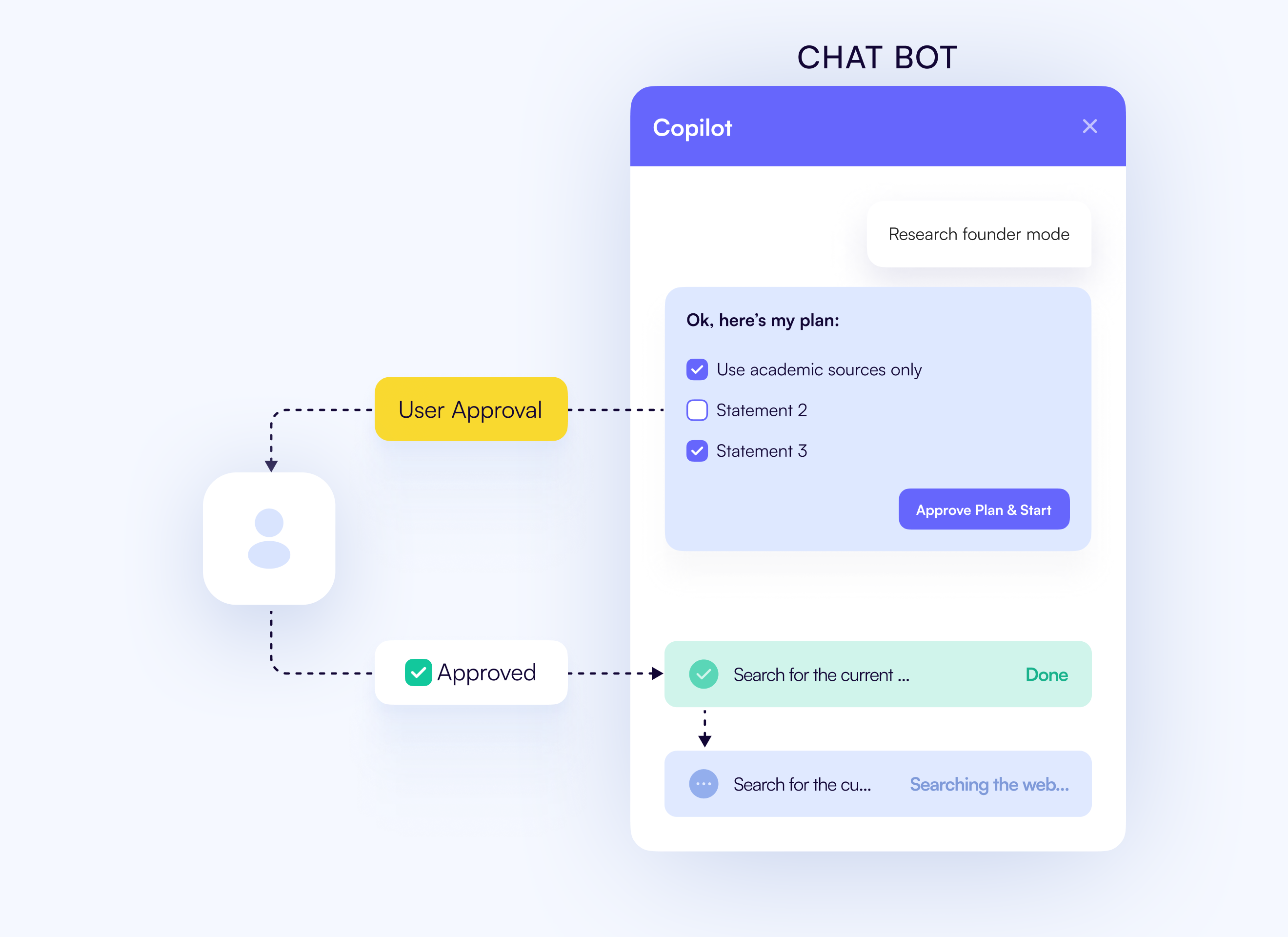
If you'd like to learn even more about human in the loop before proceeding, checkout our Human in the Loop concept guide.
Otherwise, let's get started!
Add the breakpoint to the trips_node
The way that this LangGraph has been implemented allows for easy human in the loop integration. Essentially, we have a trips_node
that serves as a proxy to the perform_trips_node. This means that we can block entrance to the perform_trips_node by adding a breakpoint
to the trips_node. This will then force the agent to pause and wait for the human to approve the action before execution can continue.
To add a breakpoint to the agent, we'll be editing the graph definition in the agent/travel/agent.py file.
At the very bottom of the file, add the following line to the compile function:
# ...

graph = graph_builder.compile(
    checkpointer=MemorySaver(),
    interrupt_after=["trips_node"],
)
This will force the agent to pause execution at the trips_node and wait for the human to approve the action before continuing.
Update the perform_trips_node node to properly handle the user's decision
Prior to this step, entrance to the perform_trips_node was standard. We would recieve the requested tool call, call the appropriate
tool, edit the message state to reflect the tool call results, and then move on to the next node.
However, this will no longer work since we've added a breakpoint to the trips_node. In a future step, we'll be utilizing this
breakpoint to render a UI to the user for approval or rejection. Their decision will be communicated back via the message state.
In this step, we'll be retrieving that decison from the message state and acting accordingly.
First, let's grab the tool call message and the tool call being requested.
# ...

async def perform_trips_node(state: AgentState, config: RunnableConfig):
    """Execute trip operations"""
    ai_message = state["messages"][-1]
    ai_message = cast(AIMessage, state["messages"][-2])
    tool_message = cast(ToolMessage, state["messages"][-1])

    # ...
Now, let's add a conditional that will check the user's decision and act accordingly.
from copilotkit.langchain import copilotkit_emit_message

# ...
async def perform_trips_node(state: AgentState, config: RunnableConfig):
    """Execute trip operations"""
    ai_message = cast(AIMessage, state["messages"][-2])
    tool_message = cast(ToolMessage, state["messages"][-1])

    if tool_message.content == "CANCEL":
      await copilotkit_emit_message(config, "Cancelled operation of trip.")
      return state

    # handle the edge case where the AI message is not an AIMessage or does not have tool calls, should never happen.
    if not isinstance(ai_message, AIMessage) or not ai_message.tool_calls:
        return state

    # ...
In this case, we are checking if the user decided to cancel the operation. If so, we emit a message to the UI and return the state. Any other decision returned will result in the requested actions being performed.
Emitting the tool calls
In order for the front-end to recieve the breakpoint and take the user's decision, we'll need to emit the tool calls that the agent is requesting.
To do this, we'll be editing the chat_node in the chat.py file.
# ...
from copilotkit.langchain import copilotkit_customize_config
async def chat_node(state: AgentState, config: RunnableConfig):
    """Handle chat operations"""
    config = copilotkit_customize_config(
        config,
        emit_tool_calls=["add_trips", "update_trips", "delete_trips"],
    )
    # ...
We don't want to just set True here because doing so will emit all tool calls. By specifying these, we hand are handing off tool
handling to CopilotKit. If, for example, search_for_places was called here then it would break the state of tool calls.
With that, our work on the agent is complete and we are ready to update the front-end to properly take and communicate the user's decision.
Rendering the tool calls and taking the user's decision
Now we need to update the front-end to render the tool calls and emit the user's decision back to the agent. To do this,
we'll be adding useCopilotAction hooks for each tool call with the renderAndWait option.
// ...
import { AddTrips, EditTrips, DeleteTrips } from "@/components/humanInTheLoop";
import { useCoAgent, useCoAgentStateRender } from "@copilotkit/react-core";
import { useCoAgent, useCoAgentStateRender, useCopilotAction } from "@copilotkit/react-core";
// ...

export const TripsProvider = ({ children }: { children: ReactNode }) => {
  // ...

  useCoAgentStateRender<AgentState>({
    name: "travel",
    render: ({ state }) => {
      return <SearchProgress progress={state.search_progress} />
    },
  });

  useCopilotAction({
    name: "add_trips",
    description: "Add some trips",
    parameters: [
      {
        name: "trips",
        type: "object[]",
        description: "The trips to add",
        required: true,
      },
    ],
    renderAndWait: AddTrips,
  });

  useCopilotAction({
    name: "update_trips",
    description: "Update some trips",
    parameters: [
      {
        name: "trips",
        type: "object[]",
        description: "The trips to update",
        required: true,
      },
    ],
    renderAndWait: EditTrips,
  });

  useCopilotAction({
    name: "delete_trips",
    description: "Delete some trips",
    parameters: [
      {
        name: "trip_ids",
        type: "string[]",
        description: "The ids of the trips to delete",
        required: true,
      },
    ],
    renderAndWait: (props) => DeleteTrips({ ...props, trips: state.trips }),
  });

  // ...
With that, our front-end is now ready to render the tool calls and take the user's decision. One thing we glossed over
are all of the imported humanInTheLoop components. They're provided for the convenience of this tutorial, but we should
note one very important thing - how they send the user's decision back to the agent.
(optional) Understanding the humanInTheLoop components
Let's look at the DeleteTrips component as an example, but the same logic applies to the AddTrips and EditTrips components.
import { Trip } from "@/lib/types";
import { PlaceCard } from "@/components/PlaceCard";
import { X, Trash } from "lucide-react";
import { ActionButtons } from "./ActionButtons";
import { RenderFunctionStatus } from "@copilotkit/react-core";

export type DeleteTripsProps = {
  args: any;
  status: RenderFunctionStatus;
  handler: any;
  trips: Trip[];
};

export const DeleteTrips = ({ args, status, handler, trips }: DeleteTripsProps) => {
  const tripsToDelete = trips.filter((trip: Trip) => args?.trip_ids?.includes(trip.id));

  return (
    <div className="space-y-4 w-full bg-secondary p-6 rounded-lg">
    <h1 className="text-sm">The following trips will be deleted:</h1>
      {status !== "complete" && tripsToDelete?.map((trip: Trip) => (
        <div key={trip.id} className="flex flex-col gap-4">
          <>
            <hr className="my-2" />
            <div className="flex flex-col gap-4">
            <h2 className="text-lg font-bold">{trip.name}</h2>
            {trip.places?.map((place) => (
              <PlaceCard key={place.id} place={place} />
            ))}
            </div>
          </>
        </div>
      ))}
      { status !== "complete" && (
        <ActionButtons
          status={status}
          handler={handler}
          approve={<><Trash className="w-4 h-4 mr-2" /> Delete</>}
          reject={<><X className="w-4 h-4 mr-2" /> Cancel</>}
        />
      )}
    </div>
  );
};
As you can see, this is a fairly standard component that renders the trips that will be deleted. The important part is the ActionButtons
component. Let's take a look at it.
import { RenderFunctionStatus } from "@copilotkit/react-core";
import { Button } from "../ui/button";

export type ActionButtonsProps = {
    status: RenderFunctionStatus;
    handler: any;
    approve: React.ReactNode;
    reject: React.ReactNode;
}

export const ActionButtons = ({ status, handler, approve, reject }: ActionButtonsProps) => (
  <div className="flex gap-4 justify-between">
    <Button
      className="w-full"
      variant="outline"
      disabled={status === "complete" || status === "inProgress"}
      onClick={() => handler?.("CANCEL")}
    >
      {reject}
    </Button>
    <Button
      className="w-full"
      disabled={status === "complete" || status === "inProgress"}
      onClick={() => handler?.("SEND")}
    >
      {approve}
    </Button>
  </div>
);
The important piece here is that the onClick handlers emit the user's decision back to the agent. If the user clicks the Delete button
then the handler?.("SEND") is called. If the user clicks the Cancel button then the handler?.("CANCEL") is called. This is how the
agent recieves the user's decision.
If you wanted to implement a more complex UI that allows for the human to edit the tool call arguments before sending them back to the agent,
you could do so by adding additional logic to the onClick handlers and the agent's handling of the tool call.
With that, we've now completed the human in the loop implementation! Try asking the agent to add, edit, or delete some trips and see it in action.


